
1. Getting started
Get access
Section titled “Get access”WalletCraft is in early access: we set up each business personally.
- On walletcraft.app press Request access and tell us about your business and what card you want.
- We create your company’s account and send an invitation to your email.
- Open the invitation, choose your name and a password. You’re the owner of the company’s account.
Sign in
Section titled “Sign in”Open the console at app.walletcraft.app and sign in with your email and password.
The console at a glance
Section titled “The console at a glance”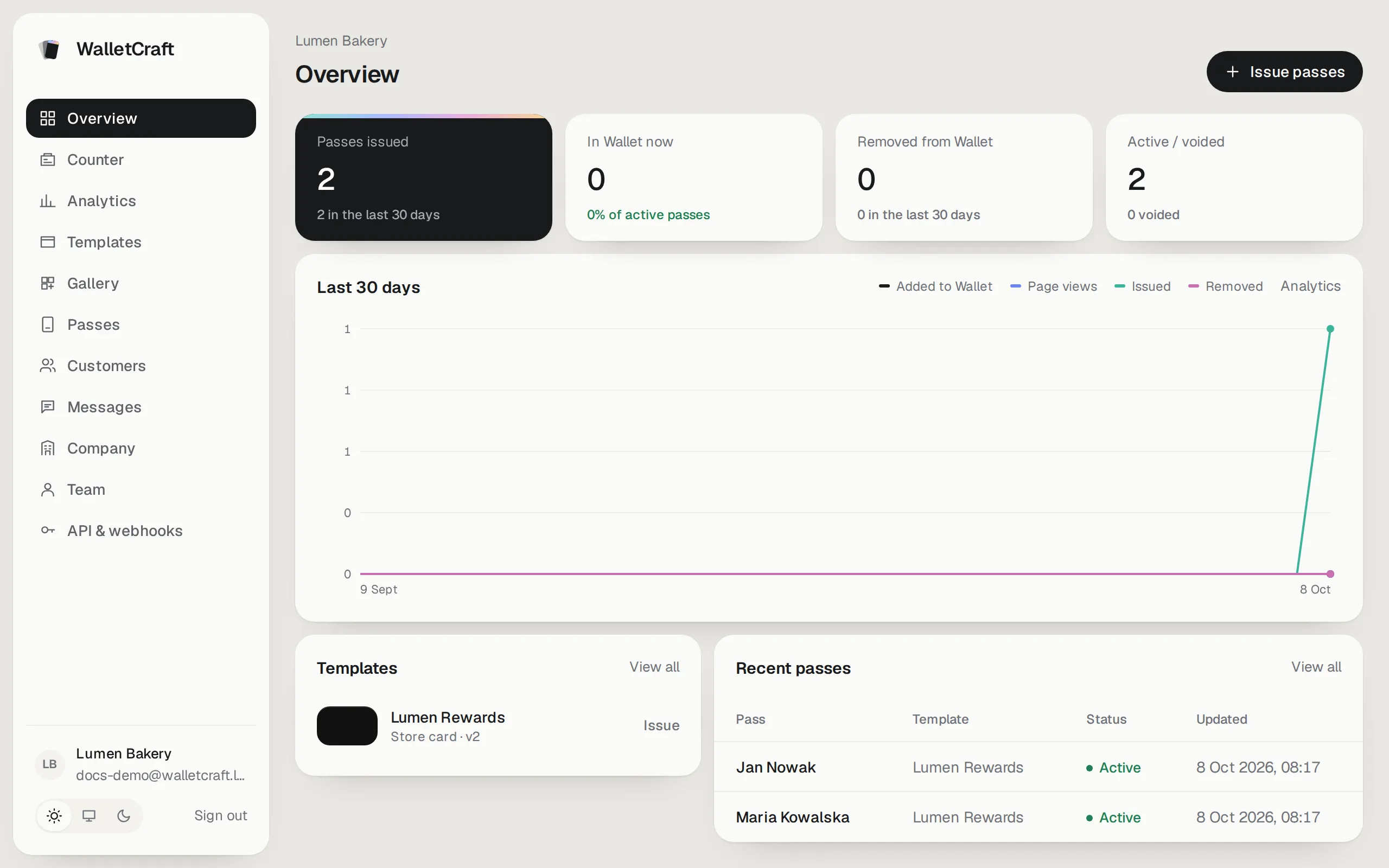
The Overview shows how your cards are doing: how many are issued, how many are in customers’ wallets right now, how many were removed, and the activity of the last 30 days. Issue passes at the top right is the quickest way to give someone a card.
The menu on the left:
| Section | What it’s for |
|---|---|
| Counter | At the till: find a customer’s card, add a purchase, spend points or give a reward. |
| Analytics | Cards issued and added to Wallet, page views, where customers come from, spending. |
| Templates | Your card designs. |
| Gallery | Ready-made designs to start from. |
| Passes | Every card you’ve issued: search, edit, void. |
| Customers | The people who hold your cards, their purchases and consents. |
| Messages | News and notices to card holders; birthday greetings. |
| Company | Your company’s details shown on every card. |
| Team | Who can sign in and what each person may do. |
| API & webhooks | For connecting your website or other systems. |
At the bottom: your company and email, the light / system / dark theme switch and Sign out.
Team and roles
Section titled “Team and roles”Each person gets their own sign-in. Invite colleagues in Team; each one has a role:
| Role | Can do |
|---|---|
| Owner | Everything, including the team and API keys. |
| Admin | Everything except changing owners. |
| Manager | Templates, cards, customers, messages and analytics. No team, API keys or data export. |
| Staff | At the counter: find customers, issue cards and update balances. |
Fill in your company profile — it appears on every card — and then design your card.