
5. Passes
Passes lists every card your company has issued, newest first.
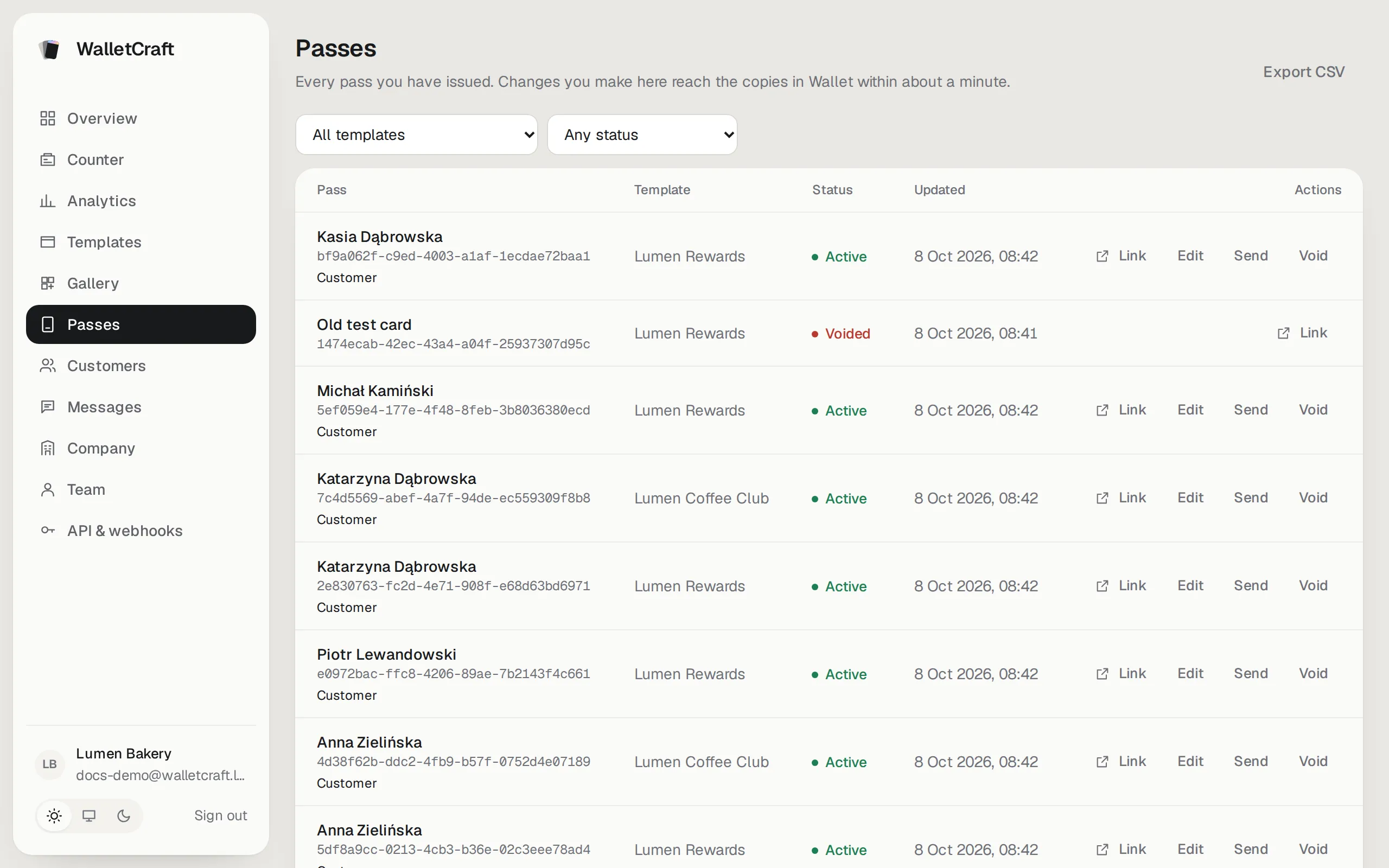
- Filter by template and status (active, voided).
- Each row shows the card holder’s name (or the card’s main value), the card number and, if the card belongs to a customer, a link to their profile.
- Export CSV downloads the list (owners and admins).
Actions
Section titled “Actions”| Action | What it does |
|---|---|
| Link | Opens the card page — the one with the Add to Wallet buttons. Copy it to send by chat. |
| Edit | Changes this card’s own values (see below). |
| Send | Sends the card’s link by email or SMS (how it works). |
| Void | Switches the card off for good. |
Change a card’s values
Section titled “Change a card’s values”Press Edit on the row:

Change the values and press Save and update devices. Customers who have the card in Wallet see the new values within about a minute; under each field you see the notification it will show (from the field’s change message in the template).
Void a card
Section titled “Void a card”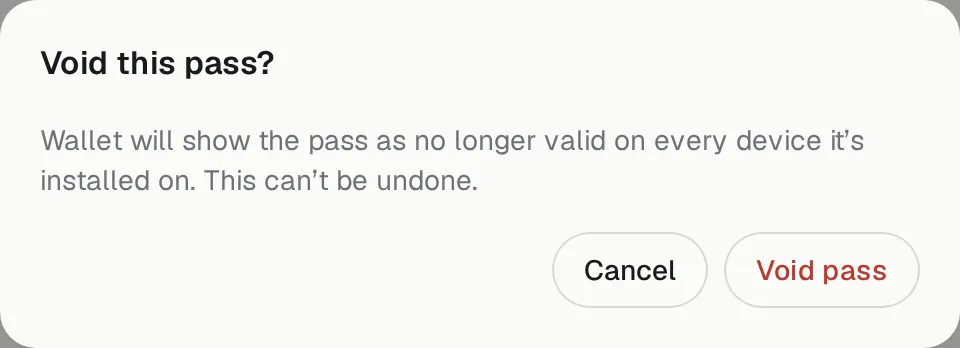
Void marks the card as no longer valid on every phone it’s on — for example a lost staff card or a mistake. This can’t be undone; issue a new card if needed. Voided cards stay in the list with the status Voided.