
10. Team
Every person who works with your cards should have their own sign-in: it’s safer, and the activity log shows who did what. Open Team (owners and admins).
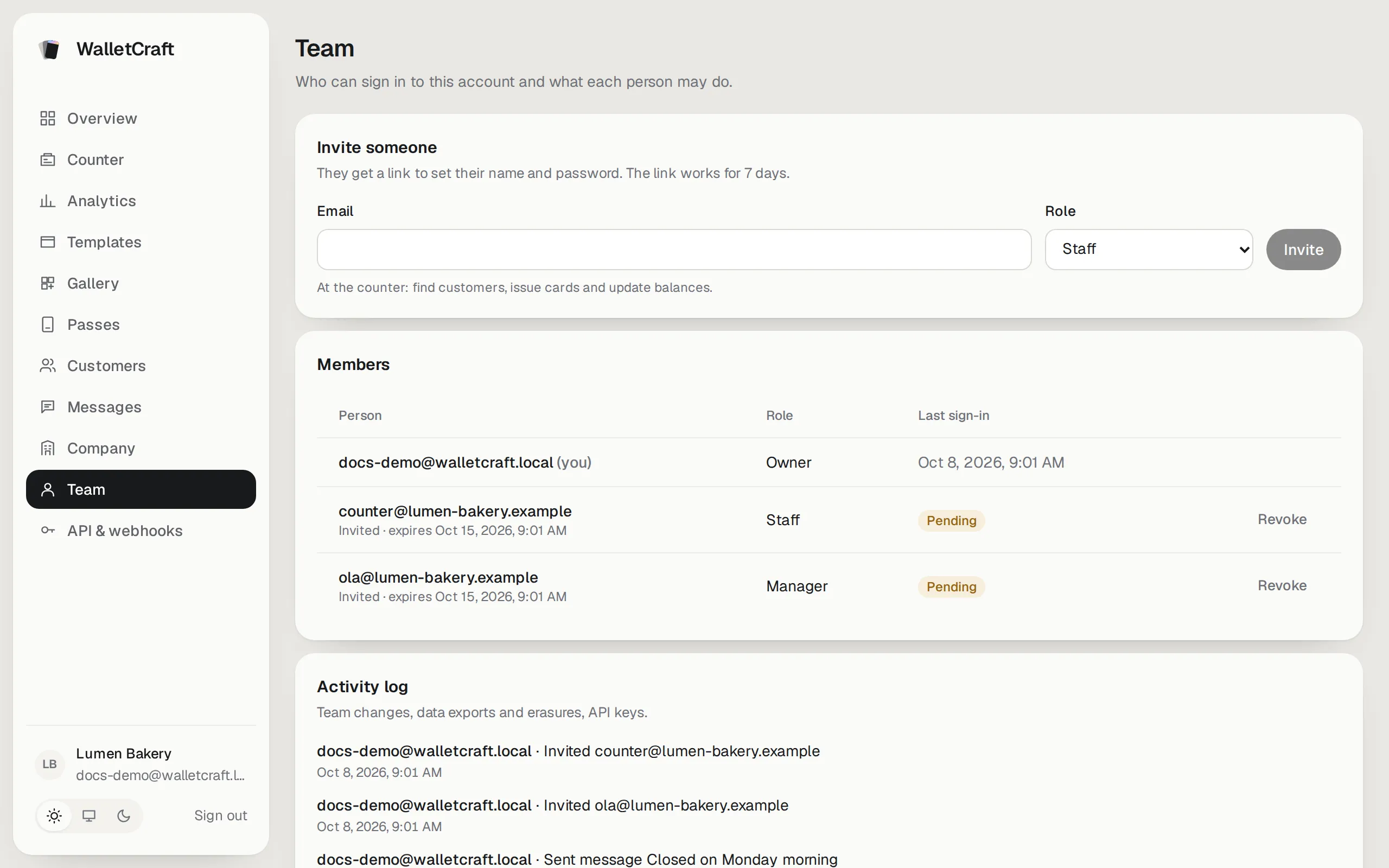
Invite someone
Section titled “Invite someone”
- Enter their Email and choose a Role — the line under the form says what it allows.
- Press Invite. They get an email with a link to set their name and password; you can also copy the link and send it yourself. The link works for 7 days.
- Until they accept, they appear as Pending; Revoke cancels the invitation.
| Role | Can do |
|---|---|
| Owner | Everything, including the team and API keys. |
| Admin | Everything except changing owners. |
| Manager | Templates, cards, customers, messages and analytics. No team, API keys or data export. |
| Staff | At the counter: find customers, issue cards and update balances. |
People see only the sections their role allows.
Change a role or turn off access
Section titled “Change a role or turn off access”In Members change someone’s Role, or press Turn off access when a person leaves — they’re signed out at once and can’t sign in again; Restore access brings them back. Only owners change owners, nobody can change themselves, and a company always keeps at least one owner.
Activity log
Section titled “Activity log”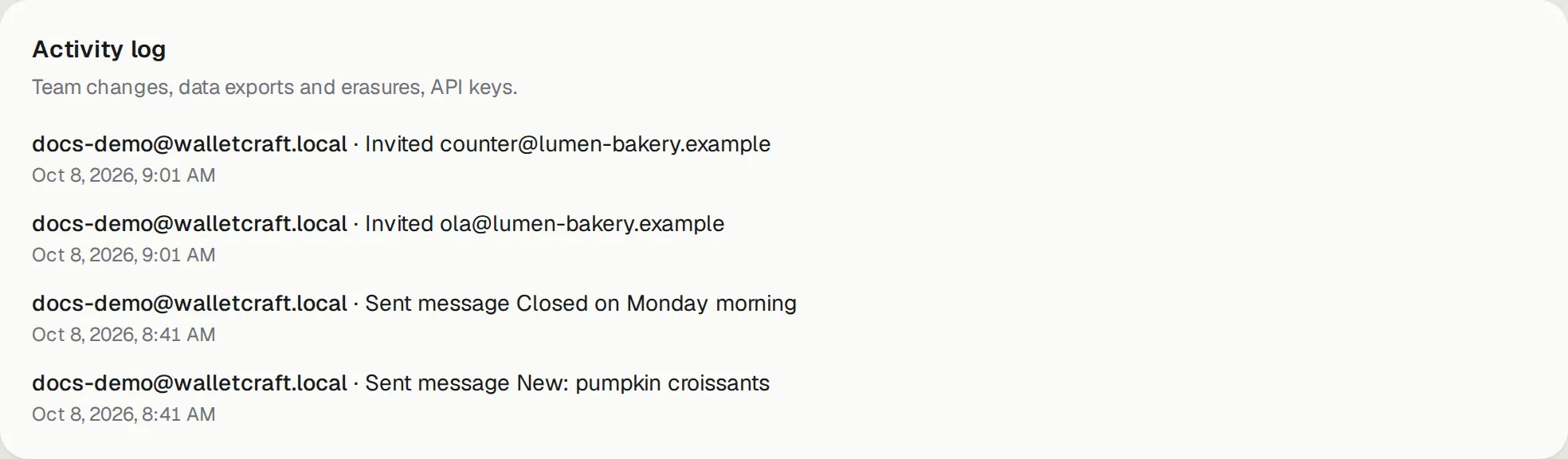
Who invited whom, changed roles, exported or erased customer data, created API keys or webhooks, sent messages — with the time. Useful when something changed and you want to know who did it.
Several companies
Section titled “Several companies”One person can work for several companies with the same email — for example a marketing agency. When an invitation comes from a second company, they accept it with their existing password. After signing in they choose the company, and Switch company in the menu moves between them. Access in one company doesn’t affect the others.