
8. Messages
A message appears on the card itself and pops up as a notification on the customer’s phone — no app, no email list. Open Messages.
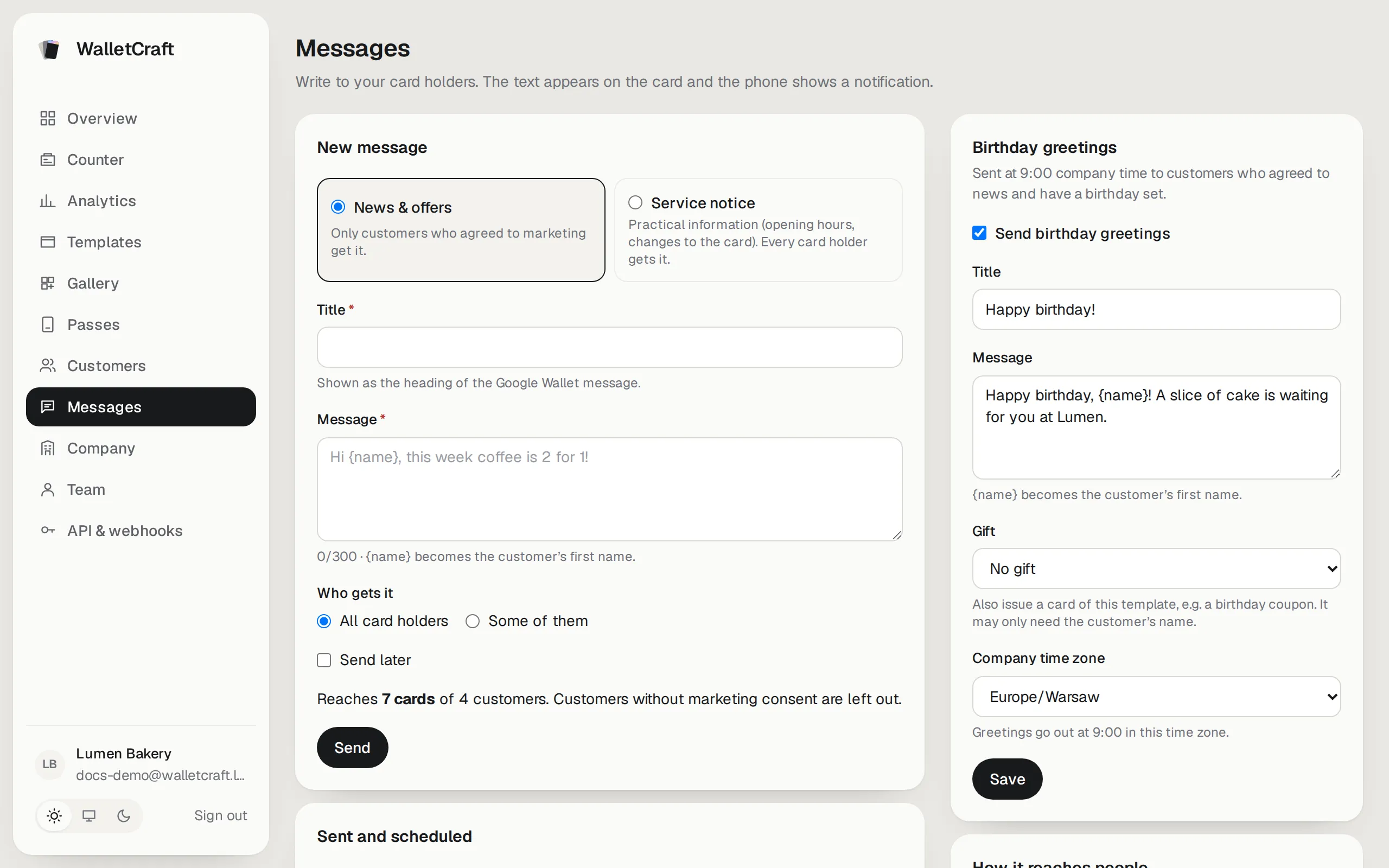
Two kinds of message
Section titled “Two kinds of message”| Kind | For | Who gets it |
|---|---|---|
| News & offers | Promotions, new products, events | Only customers who agreed to news and offers |
| Service notice | Opening hours, a closed day, changes to the program | Everyone with a card |
Choose honestly: sending offers as service notices breaks your customers’ trust and data protection rules.
Write and send
Section titled “Write and send”-
Choose the kind, then a Title (the heading of the message on Android) and the Message (up to 300 characters).
{name}becomes the customer’s first name:Hi {name}→ “Hi Maria”. -
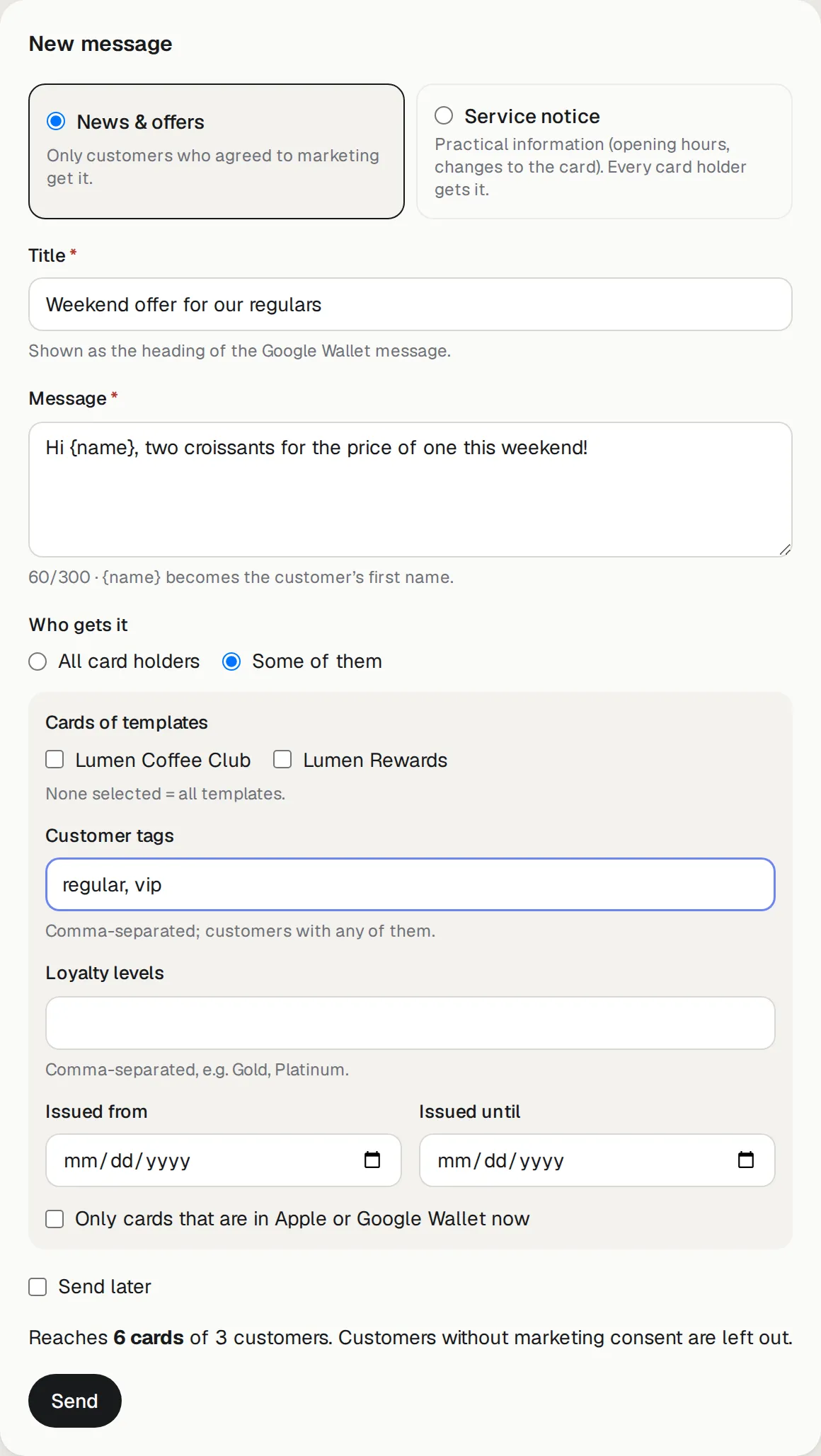
Who gets it: All card holders, or Some of them — cards of certain templates, customers with certain tags, certain loyalty levels, cards issued between two dates, or only cards that are in a wallet now.
-
The line above Send shows how many cards and customers it reaches.
-
Send, or tick Send later and choose the time.
To write to one customer, open their page in Customers and press Send message.
History
Section titled “History”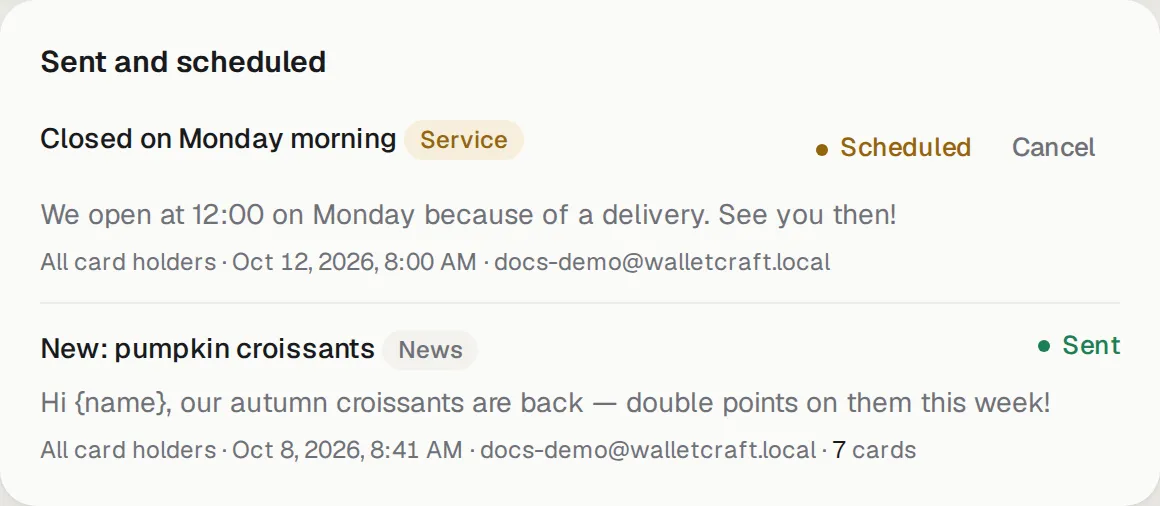
Each message shows its kind, who it went to, when, who sent it and how many cards it reached. A scheduled message can be cancelled until it goes out.
Good to know:
- A new message replaces the previous one on the card.
- Google Wallet allows 3 notifications per card a day. Above that the text still changes on the card, without a notification; the history shows how many went without one.
Birthday greetings
Section titled “Birthday greetings”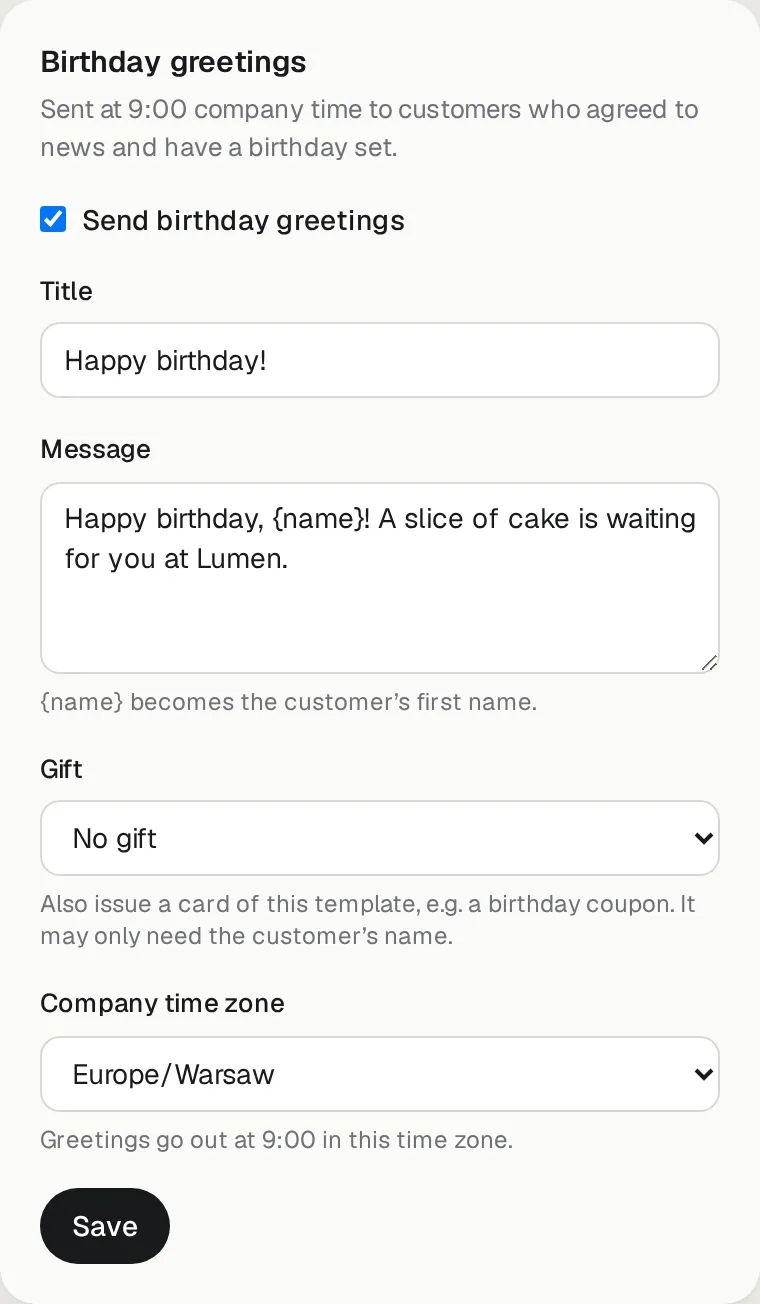
Tick Send birthday greetings, write the title and message, and save. Every day at 9:00 in your company time zone, customers whose birthday it is get the greeting — if they agreed to news and offers and their birthday is known (ask for it in the join form, or fill it in on their page).
Gift: choose a template, for example a birthday coupon, and each birthday customer also gets that card — sent to them by email, or SMS when there’s no email. The gift template may only need the customer’s name.
See how your cards are doing in Analytics.