
2. Company profile
Fill this in once. Every card shows it on its back (the Details side in Wallet), so customers can call you, find you on Instagram or check your opening hours right from the card. When you change something here, the cards already in your customers’ wallets update too.
Open Company in the menu.
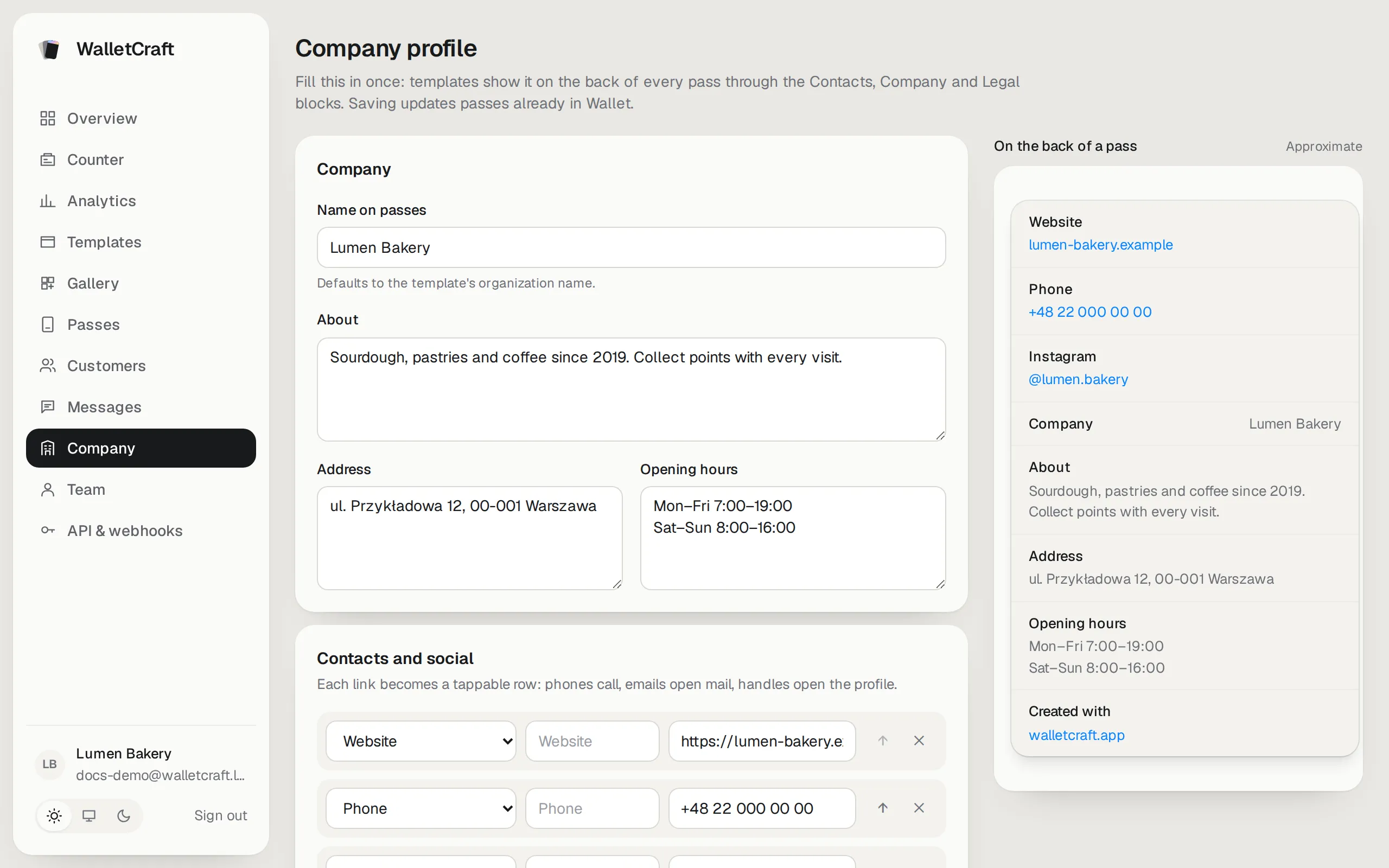
The panel on the right shows roughly how the back of a card will look.
Company
Section titled “Company”- Name on passes — how your business is called on the cards. If empty, the name from the template is used.
- About — one or two sentences about you.
- Address and Opening hours — line breaks are kept.
Contacts and social
Section titled “Contacts and social”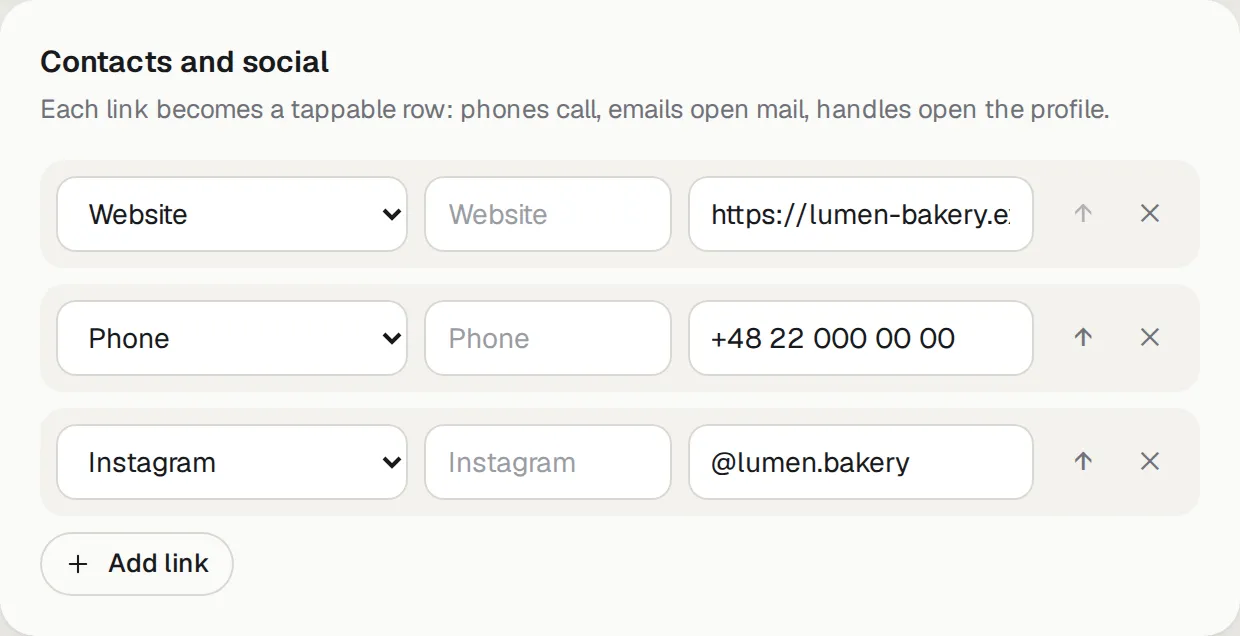
Add a row per link and choose its kind: website, phone, email, Instagram, Telegram, WhatsApp, Facebook, TikTok, YouTube, LinkedIn, “Book online”, “Directions”, “Leave feedback” or any other link. Each becomes a tappable row on the card: phones call, emails open mail, Instagram opens the profile. The arrows change the order; the label is optional.
- Phones in international format, starting with
+(for example+48 22 000 00 00). - Social handles as
@nameor the full profile address.
Legal details
Section titled “Legal details”- Privacy policy link — the address of your privacy policy. Required before you can switch on a join link: customers agree to it when they get a card themselves.
- Issuer details — who issues the card: your legal name, address, tax ID and register number. Shown in the card’s details.
Press Save profile at the bottom of the page.